I am developing a system containing multiple sketches (currently 4). I want to export them in one package. I believe that I will have to export each individually then put them in one folder. I am thinking that I may need another sketch to act as an overall manager. If so how does the manager start another sketch and what happens when the “called” sketch terminates?
Fred Stout
First part of question:
This will launch a sketch that was exported:
/*
Note about commented code:
This won't work because of the \
Change \ them to /
OR
\\
*/

//String pathToSketchtToLaunch = "D:\Users\GLV\Documents\P4\sketchToLaunch\windows-amd64\sketchToLaunch.exe"; // Needs to be nodified!
String pathToSketchtToLaunch = "D:/Users/GLV/Documents/P4/sketchToLaunch/windows-amd64/sketchToLaunch.exe";   // Works!
println(pathToSketchtToLaunch);

// Launches sketch:
launch(pathToSketchtToLaunch);

exit(); // Added this to exit sketch
Second part of question:
Try it and see what happens!
Experimenting:
size(800, 200);

String time = hour() + ":" + nf(minute(), 2) + ":" + nf(second(), 2);
println(time);

String path = sketchPath("");
println(path);

String sketchName = new File(sketchPath("")).getName();
println(sketchName);

String pathToExe = path + "windows-amd64" + "\\" + sketchName + ".exe";
println(pathToExe);

pathToExe = pathToExe.replace("\\", "/"); // Replaces '\' characters with '/'
println(pathToExe);

fill(0);
textSize(16);
text(time, 10, 50);
text(pathToExe, 10, 100);

// You can use pathToExe directly in a string!

//launch(pathToExe); //Careful!
//You do not want endless loops launching sketches!
//This was safe but I made mistakes along the way and had to restart my PC to exit a loop.
:)
Many thanks! I will try it.
Fred
Hello @fredstout,
I am using Windows 10.
There is a reference here to escape sequences here:
String / Reference / Processing.org
And here:
Here to help!
:)
I hope I did this correctly: I added the launch to your sketch and it ran successfully. I noticed that when your sketch ended, control came back to me like it always does which is good to know.
Fred
Hello @fredstout,
Some code that I was experimenting with:
// Author: glv
// Original: 2026-06-04

// An exploration into launching sketches.
// This code only represents some of the intermediate steps taken to understand the paths.
// This can certainly be trickled down to fewer lines once understood. :)
// This uses exported Java and each sketch will add 300 MiBi if this is used.
// The paths change with each launch selection so be careful to scrutinize these!

void setup()
  {
  size(900, 1080);
  surface.setLocation(5*second(), 5*second()); //So they did not overlap!

  String instructions = "1) Export the sketch so it is available to this code." + '\n' +
                        "2) Run this sketch from the PDE." +  '\n' +
                        "3) Cross reference the output to the source code." +  '\n' +
                        "4) Focus (mouse click) on window that you want to be active!" +  '\n' +
                        "5) Select an exectable (sketchname + .exe) to launch" +  '\n' +
                        "6) Only valid selections will launch! Others were for testing" +  '\n' +
                        "7) Don't get lost in the details! Focus on what is working." +  '\n' +
                        "8) Reduce this code to only what is needed!" +  '\n' +
                        "9) Be careful and DO NOT generate code that launches in a loop!" +  '\n' +
                        "   This is why I added keyboard controls to select intent" +  '\n' +
                        "10) Go back to 4 and try the different windows. :)" +  '\n' +
                        "11) Create a Sketch_1, export and and try it!";
                        ;

  println("Instructions: " + '\n' + instructions);
  println();

  String time = hour() + ":" + nf(minute(), 2) + ":" + nf(second(), 2);
  println("Time: " + '\n' + time);
  println();

  //Default
  launchUtility('1');
  }

void draw()
  {
  }

void keyReleased()
  {
  background(255/2, 255, 255/2);
  textSize(48);
  String s = launchUtility(key);

  if(s.length() > 0)
    launch(s);
  }

String launchUtility(char c)
  {
  fill(0);
  textSize(18);
  int y = 0;
  int sp = 45;
  String time = hour() + ":" + nf(minute(), 2) + ":" + nf(second(), 2);
  text("Time: " + '\n' +  time, 10, y+=sp);

  String rootFolder = System.getProperty("user.dir");
  rootFolder = rootFolder.replace("\\", "/");
  text("rootFolder (user.dir): " + '\n' +  rootFolder, 10, y+=sp);

  //String parentPath = rootFolder.substring(0, rootFolder.lastIndexOf("/"));
  //text("parentPath: " + '\n' +  parentPath, 10, y+=sp);

  //String parentFolderName = parentPath.substring(parentPath.lastIndexOf("/") + 1);
  //text("parentFolderName: " + '\n' +  parentFolderName, 10, y+=sp);

  text("sketchPath_1: " + '\n' + sketchPath(), 10, y+=sp);
  String sketchFolder_1 = sketchPath();
  sketchFolder_1 = sketchFolder_1.replace("\\", "/");  // Stick with '/'
  text("sketchFolder_1: " + '\n' +  sketchFolder_1, 10, y+=sp);

  String parentPath1 = sketchFolder_1.substring(0, sketchFolder_1.lastIndexOf("/"));
  text("parentPath1: " + '\n' +  parentPath1, 10, y+=sp);

  String parentFolderName1 = parentPath1.substring(parentPath1.lastIndexOf("/") + 1);
  text("parentFolderName1: " + '\n' +  parentFolderName1, 10, y+=sp);

  String parentPath2 = parentPath1.substring(0, parentPath1.lastIndexOf("/"));
  text("parentPath2: " + '\n' +  parentPath2, 10, y+=sp);

  String parentFolderName2 = parentPath2.substring(parentPath2.lastIndexOf("/") + 1);
  text("parentFolderName2: " + '\n' +  parentFolderName2, 10, y+=sp);

  String sketch_1FolderName = parentFolderName2;
  text("sketch_1FolderName: " + '\n' +  sketch_1FolderName, 10, y+=sp);

  //  String sketch_1Exe = parentFolderName2 + "/Sketch_1/windows-amd64/" + "Sketch1.exe";
  //text("sketch_1Exe: " + '\n' +  sketch_1Exe, 10, y+=sp);

  text("sketchPath_2: " + '\n' + sketchPath(""), 10, y+=sp);
  String sketchFolder_2 = sketchPath("");
  sketchFolder_2 = sketchFolder_2.replace("\\", "/");  // Stick with '/'
  text("sketchFolder_2: " + '\n' +  sketchFolder_2, 10, y+=sp);

  String sketchName_1 = rootFolder.substring(0, rootFolder.lastIndexOf("/"));
  sketchName_1 = sketchName_1.substring(sketchName_1.lastIndexOf("/")+1);
  text("sketchName_1: " + '\n' +  sketchName_1, 10, y+=sp);

  String [] skethFolderSplit = sketchFolder_1.split("/");

  String sketchName_2 = skethFolderSplit [skethFolderSplit.length-1];
  text("sketchName_2: " + '\n' +  sketchName_2, 10, y+=sp);

  String sketchName_3 = skethFolderSplit [skethFolderSplit.length-2];
  text("sketchName_3: " + '\n' +  sketchName_3, 10, y+=sp);

  String sketchName_4 = new File(sketchPath("")).getName();
  text("sketchName_4: " + '\n' +  sketchName_4, 10, y+=sp);

  y+=25;
  text("Select an executable to launch: ", 10, y+=sp);

  String local = sketchFolder_2 + "windows-amd64" + "/" + sketchName_2 +  ".exe";
  text("local: (Hit key 0)" + '\n' +  local, 10, y+=sp);

  String export_1 = sketchFolder_2 + sketchName_1 +  ".exe";
  text("export_1 (Hit key = 1): " + '\n' +  export_1, 10, y+=sp);

  String export_2 = sketchFolder_2 + sketchName_3 +  ".exe";
  text("export_2: (Hit key = 2)" + '\n' +  export_2, 10, y+=sp);

  String export_3 = parentPath1 + "/Sketch_1/windows-amd64/" + "Sketch_1.exe";
  text("export_3: (Hit key = 3)" + '\n' +  export_3, 10, y+=sp);

  String export_4 = parentPath2 + "/Sketch_1/windows-amd64/" + "Sketch_1.exe";
  text("export_4: (Hit key = 4)" + '\n' +  export_4, 10, y+=sp);

  String s = "";
  if(c == '0')
    s = local;
  else if(c == '1')
    s = export_1;
  else if(c == '2')
    s = export_2;
  else if(c == '3')
    s = export_3 ;
  else if(c == '4')
    s = export_4 ;

  return s;
}
I managed to get it to launch the exported sketches from different entry points.
After all that was said and done I made these portable by packaging this into a folder and launch these independent of the original Processing folders.
Have fun!
:)
Yikes! I will attempt to learn what I can from your code. As you mentioned, it is complicated. Thank you for this.
It make take me a while, I have several trips lined up.
Fred
That about sums it up!
I had to do this preliminary exploration to see what was happening from the different launch points (PDE sketch, exported sketch, different folders). I learned a lot along the way!
It can be trickled down to only what is what is necessary once you examine it.
Start commenting out lines; some are dependent on previous ones!
Have fun!
Take a look at this as well to launch multiple PApplets (sketches):
:)
You can also integrate the Sketches into one big sketch with multiple states (and tabs)
True! However both my sketches (and a third is planned) are, in my opinion, large enough right now. Both use all the tabs and are about 1800 lines of code each.
Thanks for responding, its always appreciated!
I have three (3) easier method(s).
Method 1. I have a sketch runner that just runs .pde’s as a separate sketch without the need of a folder
Method 2 I have a process where it stores all of the pdes into one file
Method 3 I built a sketch browser that allows you to run multiple sketches with them all in one folder.
Thank you for your response but I do not understand what you said. I am a beginner and need a little more information.
Thanks
Hello @fredstout,
My responses are focused on your request for managing exported sketches.
I am assuming this means exported to an executable that can run without the Processing PDE.
You have to export each seperately.
Yes! The exported sketch folders go into one folder. The code I provided works for them in the Processing Sketchbook folder but they can later be moved to their own folder.
I created a launcher that is an exported sketch as well.
The sketch I provided initially runs from PDE.
You MUST first export this and then run it!
Keypress 0 will launch() the launcher.
Once you open the launcher you can then launch() other exported sketches.
Once you have created all the necessary files you can launch() the exported launcher directly without the Processing PDE.
Throughout it is necessary to have focus on the window (click with mouse) to ensure you are making selections in the active sketch.
Trickled down version:
void setup()
  {
  size(900,600);
  surface.setLocation(5*second(), 5*second());

  String instructions = "Work through the code to understand steps and sequence";

  println("Instructions: " + '\n' + instructions);
  println();

  String time = hour() + ":" + nf(minute(), 2) + ":" + nf(second(), 2);
  println("Time: " + '\n' + time);
  println();

  //Default
  char ch = ' ';
  launchUtility(ch);
  }

void draw()
  {
  }

void keyReleased()
  {
  background(255/2, 255, 255/2);
  textSize(48);
  launchUtility(key);
  }

void launchUtility(char choice)
  {
  fill(0);
  textSize(18);

  int y = 0;
  int sp = 50;

  String time = hour() + ":" + nf(minute(), 2) + ":" + nf(second(), 2);
  text("Time: " + '\n' +  time, 10, y+=sp);

  String sketchFolder = sketchPath();
  sketchFolder = sketchFolder.replace("\\", "/");  // Stick with '/'
  text("sketchFolder: " + '\n' +  sketchFolder, 10, y+=sp);

  String parentPathA = sketchFolder.substring(0, sketchFolder.lastIndexOf("/"));
  text("parentPath1: " + '\n' +  parentPathA, 10, y+=sp);

  String parentPathB = parentPathA.substring(0, parentPathA.lastIndexOf("/"));
  text("parentPath2: " + '\n' +  parentPathB, 10, y+=sp);

  String [] skethFolderSplit = sketchFolder.split("/");

  String sketchName = skethFolderSplit [skethFolderSplit.length-1];
  text("sketchName: " + '\n' +  sketchName, 10, y+=sp);

  y+=25;
  text("Select an executable to launch: ", 10, y+=sp);

  String exportedLauncher = sketchFolder + "/" + "windows-amd64" + "/" + sketchName +  ".exe";
  text("Exported Launcher: (Hit key 0)" + '\n' +  exportedLauncher, 10, y+=sp);

  String skName = ""; // Sketch name to launch

  //String export_1 = parentPath2 + "/Sketch_1/windows-amd64/" + "Sketch_1.exe";
  skName = "Sketch_1";
  String export_1 = parentPathB + "/" + skName + "/windows-amd64/" + skName + ".exe";
  text("Sketch_1: (Hit key = 1)" + '\n' +  export_1, 10, y+=sp);

  //String export_2 = parentPath2 + "/Sketch_2/windows-amd64/" + "Sketch_2.exe";
  skName = "Sketch_2";
  String export_2 = parentPathB + "/" + skName + "/windows-amd64/" + skName + ".exe";
  text("Sketch_2: (Hit key = 2)" + '\n' +  export_2, 10, y+=sp);

  text("Sketch_1 and Sketch_2: (Hit key = 3)" + '\n' +  export_2, 10, y+=sp);

  String s = "";
  if(choice == '0')
    {
    s = exportedLauncher;
    launch(s);
    }
  else if(choice == '1')
    {
    s = export_1;
    launch(s);
    }
  else if(choice == '2')
    {
    s = export_2;
    launch(s);
    }
  else if(choice == '3')
    {
    s = export_1;
    launch(s);
    s = export_2;
    launch(s);
    }
  }
Not so simple but works if you understand all the layers.
A simple approach would be to create a standalone Windows launcher using either a Windows batch file or a Windows PowerShell script to launch an executable which can be an exported sketch.
:)
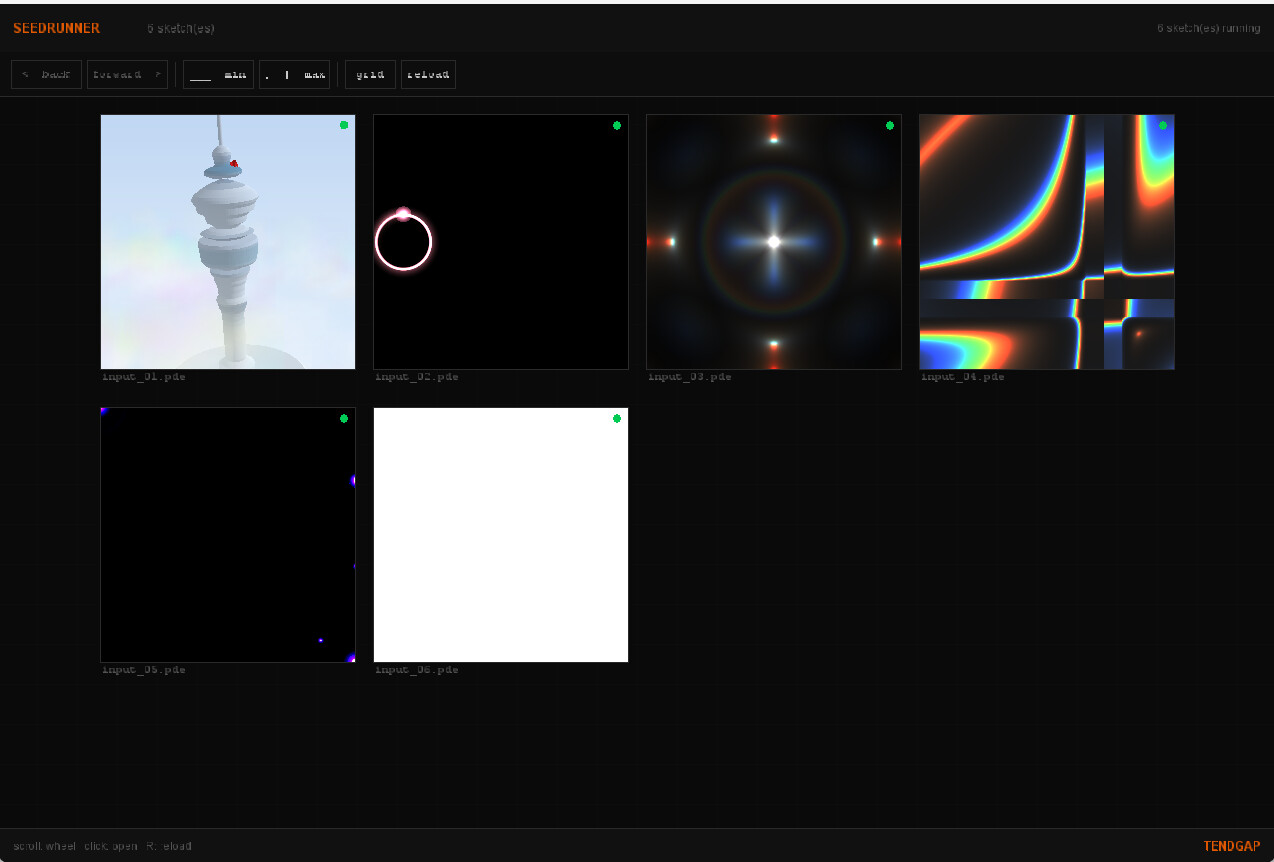
yes, i want the sketch run without the pde. I am leaving town and will return in about 10 days.
Thank you for your response. I will be out of town for a while so I will not get to until I return,
Fred
Hello @fredsout,
Another approach…
Sketch to launch
- Create a simple sketch called sketch_1 that you want to launch later.
- Export.
- Find the sketch_1.java file in the export and copy it to the Launcher sketch.
- All the tabs from the original Processing sketch end up in this one file!
Launcher
Create a sketch called launcher:

Comment out what you do not need.
Test to see that it is launching the sketch_1.java.
Export Launcher
Exporting the Launcher creates one exported application/runtime bundle; the copied sketch_1.java is compiled into that Launcher export.
You MUST rebuild everything if adding sketches or making changes.
Later you can explore writing a script to automate the process.
The above worked for me.
I had some hiccups with libraries but was able to sort this out.
Focus on simple sketches first!
Run Launcher
Run Launcher from the exported launcher.exe
You must be meticulous in generating these.
This is an example of the sketch_1.java file that was generated:

References for further exploration:
- processing4/core/src/processing/core/PApplet.java at main · processing/processing4 · GitHub
- PApplet
- Processing in Java - Happy Coding
- Processing Showcase - Happy Coding
:)
Thank you very much. This may take a while but I will follow your example. I would love to tell you that I am sure there will be no further questions but that would not be true.
Additional information (optional reading):
I am developing a system that profiles a railroad. Profile in this instance means maintaining a permanent record of all curves and grades down in 100 foot intervals plus the location of all railroad infrastructure items such as grade crossings, culverts, tunnels, etc. This first application generates the data using GNSS data to provide location data for every named item. The second application is a viewer that presents the data in graphical form. The third planned application will add subsequent data to the database rather than having to remap the entire railroad. The 4th application will be your method to select the desired application as well as to set certain settings. I have to admit to being very interested in what you have done so it may pop up earlier than thought.
Thank you again.
Fred
How are you sharing data or communicating between applications?
The first application (“Mapping”) reads the GNSS satellites and generates a record every 1/4 second. The record is a comma delimited text file containing all the data that pertains to that GNSS satellite read. This “master” is saved and used by the second application that accepts user input and displays the contents in a graphic manner. In addition, there is a text file that is created to feed Google Maps. All data, thus far, is in comma delimited text format. All data files will reside in the same folder as the applications