(Ah seems like maybe you fixed it? If you didn’t fix it then maybe something is flaky because your original code works for me now with rect.) Anyway, some more notes from experimentation below, I had fun, thanks for working on this!
As expected multiple shapes can be drawn and exported, and usage with draw loop works. My main use case for svg export is to be able to build multiple figures based on a linedrawing+noise/randomness. If that’s useful/interesting to use as a basis for a test example, I’ve pasted code and example outputs below.
Minor: artwork1 = buildShape(); produces a very mysterious error: TypeError: t is not a function
//noprotect
let figure1;
let figure2;
let figure3;

let points;
let MAX_POINTS = 800;

function setup() {
  createCanvas(1000, 500);
  pixelDensity(1);
  points = [];
  while (points.length<MAX_POINTS){
    points.push([width/2,height/2])
  }

}

// todo add per figure random seed
function figure(loopSize){
    //stroke("#000");
    return ()=>{

      beginShape();
      for (let i=0; i<points.length; i++){
      splineVertex(points[i][0] + sin(millis()/1000+i)*loopSize,
          points[i][1] + sin(millis()/1007+i+0.5)*loopSize);
      //circle(points[i][0], points[i][1], 30);
    }
    endShape(OPEN);

    };
}
function hair(hairSize){
    //stroke("#000");
    return ()=>{

      for (let i=0; i<points.length; i++){
        for(let j=0; j<3; j++){
        push();
        translate(points[i][0], points[i][1]);
       // rotate(noise(millis()/10000+i+j) * TWO_PI);
rotate((noise(millis() / 10000.0, i, j) * 2.0 - 1.0) * PI);


      line(0,0,hairSize + noise(i, j)*hairSize, 0);
        pop();
        }
    }

    };
}

function draw() {
  blendMode(BLEND);
  background("#f8f9fa");
  //blendMode(DIFFERENCE);

  noStroke();
  fill("black")
  circle(mouseX, mouseY, 5)
  if (mouseIsPressed) {
    points.push([mouseX, mouseY]);
    if (points.length > MAX_POINTS) points.shift();
    circle(mouseX, mouseY, 20)
  }

  noFill();
  strokeWeight(10);
  stroke("#fffdb8")
  figure1 = buildShape(figure(0));
  strokeWeight(1);
  stroke("#00fadd")
  figure3 = buildShape(hair(20));
  strokeWeight(5);
  stroke("#e62858")
  figure2 = buildShape(figure(5));
}

function keyPressed() {
  if (key === "s" || key === "S") {
    saveSVG(figure1, "fig.svg");
    saveSVG(figure2, "fig.svg");
    saveSVG(figure3, "fig.svg");
  }
  save("all.png")
}
Lastly, it is possible to have some cool color effects outside of buildShape (blendMode - not in the example below but I experimented with it).
let artwork1;
let artwork2;

function setup() {
  createCanvas(500, 500);

}
function draw() {
  blendMode(BLEND);
  background("#f8f9fa");
  blendMode(DIFFERENCE)
  artwork1 = buildShape(() => {
    push();
    noStroke();
    translate(width / 2, height / 2);
    fill("#f94144");
    circle(0, 0, 120);
    fill("#f3722c");
    rotate(PI / 4);
    rect(-40, -40, 80, 80);
    pop();
    fill("#f9c74f");
    circle(mouseX, mouseY, 40);
  });
  artwork2 = buildShape(() => {
    translate(10,10);
    fill("#4ef9af");
    circle(mouseX, mouseY, 40);
  });
}

function keyPressed() {
  if (key === "s" || key === "S") {
    saveSVG(artwork1, "artwork.svg");
    saveSVG(artwork2, "artwork.svg");
  }
}
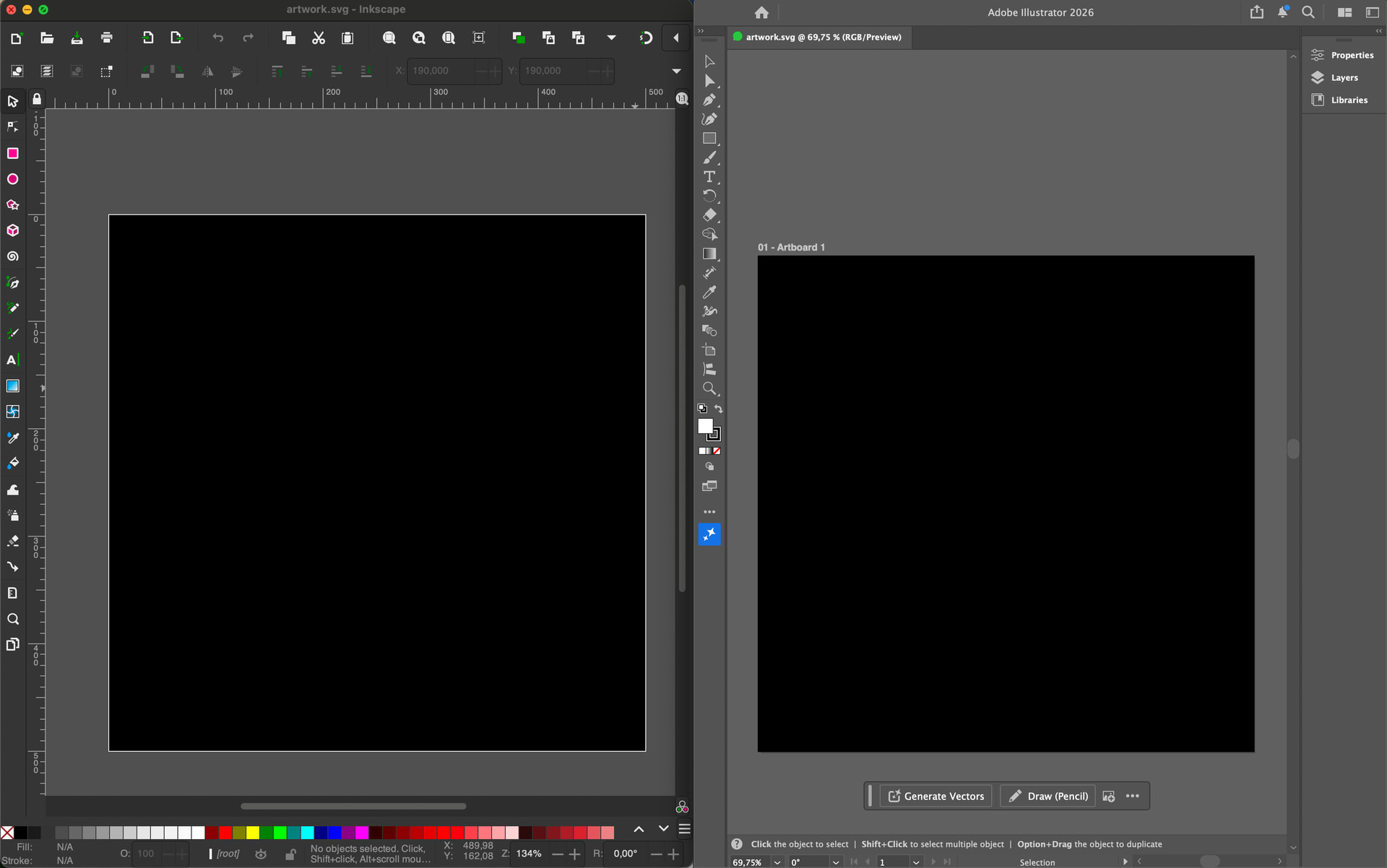

 and the circles are there, but rect is not at all (also not behind anything)


