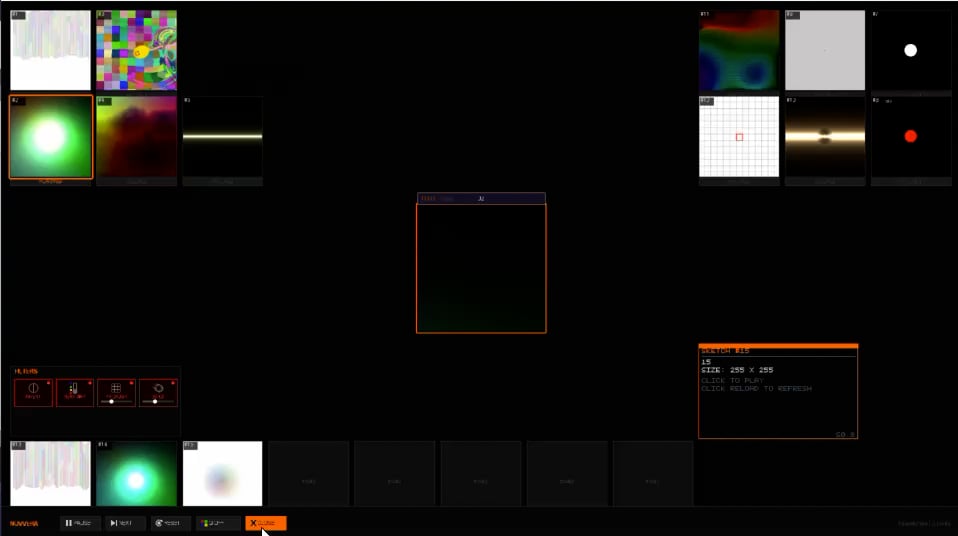
processsing sketch browser
Video
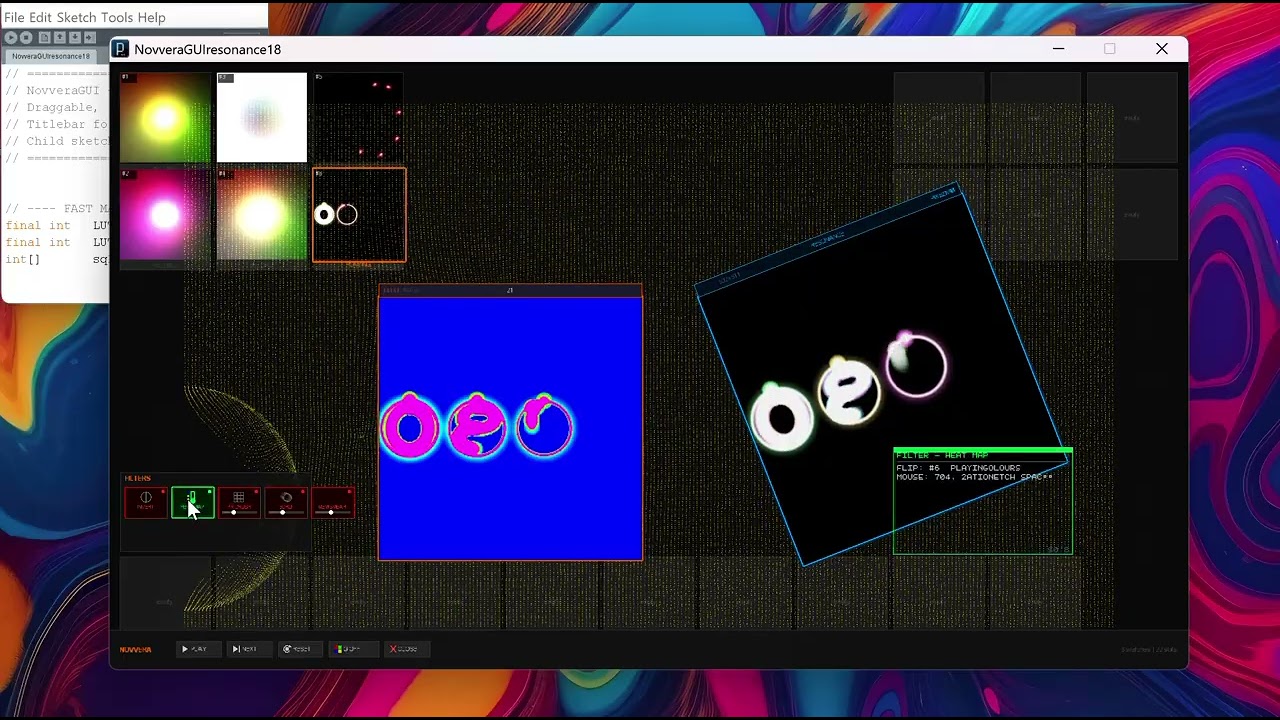
Although I am not sure what is happening the output looks pretty. 
@quark It’s a sketch browser. The mini tiles are sketches. So this is sketches running inside a sketch. I can rotate them, I can invert, I can pixelate. Basically each is a PGRAPHICS layer so the code of the sketch is one layer and I can stack layers on top of code.
Its a really cool sandbox
You mentioned in another thread that you use an older version of Processing for this:
It’s amazing to see there are people still using the OG version in 2026  Just out of curiosity, what made you stick with Processing 1.5.1 instead of newer releases?
Glad you asked actually
That and Iove manipulating pixels and using the CPU only is a pain in java I run the heavy lifting to the GPU render complex 3d then filter it back to a 2d plane and i can literally do anything
Also processing has no real textbox or buttons you have to create things from scratch
I can use processing.org 1.51 to render any UI i want in an offscreen buffer and then show real GUI and i can literally create any fancy GUI interface I want
With just ‘pixels’!
So i get stability. If i need a faster app i can always port to to 2.x or 3.x or whenever 4.x is ready but 1.51 is ROCK STABLE!
Great question
Huge update coming end of month!
Hello @adaptinnovative ,
Experimenting a bit…
I was able to run this Advanced OPENGL example with Processing 4.5.2:
Opengl \ Libraries \ Processing 1.0
import processing.opengl.*;
import com.jogamp.opengl.GL2;

float a;

/*
  Processing 4 version of the original OpenGL example.

  Same intent as the original:
  use direct fixed-function OpenGL calls for color, transform,
  rotation, and rectangle drawing.

  Processing 4 changes:
  1. Request legacy-compatible OpenGL with PJOGL.profile = 1.
  2. Replace old pgl.beginGL() with beginPGL().
  3. Get GL2 from JOGL with pgl.gl.getGL2().
*/


void settings()
  {
  // Original:
  //size(800, 600, OPENGL);

  // Replaced:
  PJOGL.profile = 1;
  size(800, 600, P3D);
  }

void setup()
  {
  }

void draw()
  {
  background(255);

  // Original:
  //PGraphicsOpenGL pgl = (PGraphicsOpenGL) g;
  //GL gl = pgl.beginGL();

  // Replaced:
  PJOGL pgl = (PJOGL) beginPGL();
  GL2 gl = pgl.gl.getGL2();

  // Original:
  gl.glColor4f(0.7, 0.7, 0.7, 0.8);

  gl.glPushMatrix();

  gl.glTranslatef(width/2, height/2, 0);
  gl.glRotatef(a, 1, 0, 0);
  gl.glRotatef(a*2, 0, 1, 0);

  gl.glRectf(-200, -200, 200, 200);

  gl.glRotatef(90, 1, 0, 0);
  gl.glRectf(-200, -200, 200, 200);

  gl.glPopMatrix();

  // Original:
  // pgl.endGL();

  // Replaced:
  endPGL();

  a += 0.5;
  }

/*
//Original:
//https://www.andrew.cmu.edu/course/60-257/reference/libraries/opengl/index.html

import javax.media.opengl.*;
import processing.opengl.*;

float a;

void setup() {
  size(800, 600, OPENGL);
}

void draw() {
  background(255);

  PGraphicsOpenGL pgl = (PGraphicsOpenGL) g;  // g may change
  GL gl = pgl.beginGL();  // always use the GL object returned by beginGL

  // Do some things with gl.xxx functions here.
  // For example, the program above is translated into:
  gl.glColor4f(0.7, 0.7, 0.7, 0.8);
  gl.glTranslatef(width/2, height/2, 0);
  gl.glRotatef(a, 1, 0, 0);
  gl.glRotatef(a*2, 0, 1, 0);
  gl.glRectf(-200, -200, 200, 200);
  gl.glRotatef(90, 1, 0, 0);
  gl.glRectf(-200, -200, 200, 200);

  pgl.endGL();

  a += 0.5;
}
*/
Can you elaborate? Please provide an example.
I have Processing 1.5.1 working in W10 in Windows 98 SE compatibility mode. There are some issues with File > Open (hangs) and File > Save (closes app) or File > Save as … (closes app).
:)
I have processing.org 1.51 on Windows 11 and it works beautifully.
Regarding the smooth i looked at Processing.org 1.51 source code and it is in PSmoothTriangle.java that the code is different. I will have to give you a visual example. It got changed in later versions so I always liked 1.51 way of smoothing.
I will be opening slots for sketch submissions shortly
Impressive graphics. I missed which renderer you are using in 1.5.1.
Plain old pixels I am using P2D
You’re getting 3D images out of a 2D renderer? The output is better than what I usually see out of OpenGL and on par with Apple’s Metal. Is there any available source code?
yes its a custom procedure I wrote. Basically manipulates pixels to ‘look’ 3D
Crazy beautiful.
Yes sure I am opening slots pretty soon for persons to access the source.
It may or may not be relevant, but I notice that the function PSmoothTriangle takes a PGraphics3D parameter, ie PSmoothTriangle(PGraphics3D iparent). I’m anxious to see your innovation; thanks for posting.
yes I am very excited. You expressed seeing the code. Do you want to host one of your sketches ?
Added new feature that you can hotswap code in just by clicking area in the browser and