# Posterization filter explained?
**URL:** https://discourse.processing.org/t/posterization-filter-explained/32001
**Category:** Beginners
**Created:** [August 29, 2021, 9:40pm UTC](https://discourse.processing.org/t/posterization-filter-explained/32001 "2021-08-29T21:40:07Z")
**Posts on this page:** 1
**Showing post:** 3
### Author:  [@josephh](https://discourse.processing.org/u/josephh)
#### Post date: [August 30, 2021, 2:04pm UTC](https://discourse.processing.org/t/posterization-filter-explained/32001/3 "2021-08-30T14:04:26Z")
Hi @CodeMasterX,
Interesting topic! 😋
> [@CodeMasterX](#):
>
> How do you choose the shades used
Choosing the shades is actually determining which [palette](https://en.wikipedia.org/wiki/Palette_(computing)) to use. There are different types of palettes: Standard or Adaptive
**Standard** palettes are palettes who have a fixed number of colors, like RBG palettes:

From the Wikipedia page:
> These full RGB palettes employ the same number of [bits](https://en.wikipedia.org/wiki/Bit) to store the relative intensity for the red, green and blue components of every image’s [pixel](https://en.wikipedia.org/wiki/Pixel) color. Thus, they have the same number of levels per channel and the total number of possible colors is always the cube of a power of two. It should be understood _that ‘when developed’_ many of these formats were directly related to the size of some host computers ‘natural word length’ in bytes—the amount of memory in bits held by a single memory address such that the CPU can grab or put it in one operation.
If you look at the Color cube, it’s always determined by dividing it into power of two so that’s how colors are chosen.
* * *
But if you have an image that is mostly red, then you are missing a lot of red shades so that’s why **Adaptive** palettes are useful.
If you read the [Adaptive palette](https://en.wikipedia.org/wiki/List_of_software_palettes#Adaptive_palettes) section on Wikipedia, it’s written:
> Those whose whole number of available indexes are filled with RGB combinations selected from the statistical order of appearance (usually balanced) of a concrete full [true color](https://en.wikipedia.org/wiki/False_color#True_color) original image. There exist many algorithms to pick the colors through [color quantization](https://en.wikipedia.org/wiki/Color_quantization); one well known is the Heckbert’s median-cut algorithm.
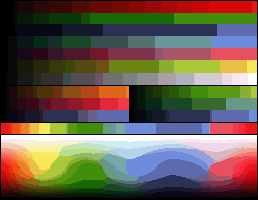
> Adaptive palettes only work well with a [unique image](https://en.wikipedia.org/wiki/Palette_(computing)#Adaptative_vs._master_palettes). Trying to display different images with adaptive palettes over an 8-bit display usually results in only one image with correct colors, because the images have different palettes and only one can be displayed at a time.
[ ](https://upload.wikimedia.org/wikipedia/commons/7/7c/Adaptative_8bits_palette_sample_image.png)
[ ](https://upload.wikimedia.org/wikipedia/commons/7/72/Adaptative_8bits_palette_color_test_chart.png)
* * *
You can see a list of common palettes here:
> **[List of color palettes](https://en.wikipedia.org/wiki/List_of_color_palettes)**
>
> This article is a list of the color palettes for notable computer graphics, terminals and video game console hardware.
> Only a sample and the palette's name are given here. More specific articles are linked from the name of each palette, for the test charts, samples, simulated images, and further technical details (including references).
> In the past, manufacturers have developed many different display systems in a competitive, non-collaborative basis (with a few exceptions, as the VESA consort...
> [@CodeMasterX](#):
>
> How do you pick what shade it shifts to (is it distance in 3D space?)
From the [Color quantization](https://en.wikipedia.org/wiki/Color_quantization) page:
> If the palette is fixed, as is often the case in real-time color quantization systems such as those used in operating systems, color quantization is usually done using the “straight-line distance” or “nearest color” algorithm, which simply takes each color in the original image and finds the closest palette entry, where distance is determined by the distance between the two corresponding points in three-dimensional space. In other words, if the colors are ( r 1 , g 1 , b 1 ) and ( r 2 , g 2 , b 2 ) , we want to minimize the [Euclidean distance](https://en.wikipedia.org/wiki/Euclidean_distance)
So yes you can use the Euclidean distance in 3D space to pick the corresponding color!
> [@CodeMasterX](#):
>
> Is there a way to reverse it?
I don’t think so, since you are loosing color information when you quantize the colors, there is no way you can get back the full spectrum of colors.
Meanwhile there’s ways to minimize this effect with filtering:
>
---
_[View the full topic](https://discourse.processing.org/t/posterization-filter-explained/32001)._