# JavaFX TransparentWindow Drawing (Discussion)
**URL:** https://discourse.processing.org/t/javafx-transparentwindow-drawing-discussion/46621
**Category:** Processing
**Created:** [June 28, 2025, 3:43pm UTC](https://discourse.processing.org/t/javafx-transparentwindow-drawing-discussion/46621 "2025-06-28T15:43:02Z")
**Posts on this page:** 7
**Page:** 1
### Author:  [@glv](https://discourse.processing.org/u/glv)
#### Post date: [June 28, 2025, 3:43pm UTC](https://discourse.processing.org/t/javafx-transparentwindow-drawing-discussion/46621/1 "2025-06-28T15:43:02Z")
Hello @svan,
I don’t care to turn a Gallery Topic into a discussion that may be distracting from the the work and will provide feedback here instead. I should have done this initially and deleted my posts from there.
The [Gallery](https://discourse.processing.org/t/about-the-gallery-category/33) is for _sharing and discussing your work_… feel free to use any of this content I am sharing.
Regarding this Gallery topic:
_[JavaFX TransparentWindow Drawing](https://discourse.processing.org/t/javafx-transparentwindow-drawing/46607)_
> [@JavaFX TransparentWindow Drawing](https://discourse.processing.org/t/javafx-transparentwindow-drawing/46607/1):
>
> Developed on macOS; will not draw in Windows 11, but does allow click throughs.
It works on W10 with these additions:
```auto
// Add to top:
import processing.javafx.*;
import javafx.scene.paint.Color; // The type Color is ambiguous
```
```auto
gc = canvas.getGraphicsContext2D();
// Added these two lines:
gc.setFill(new Color(1, 1, 1, 0.01)); // ensure a visually transparent (or near-transparent) window/area still participates in mouse event handling in Windows
gc.fillRect(0, 0, displayWidth, displayHeight);
gc.setLineWidth(10.0);
```
Visitors to this topic:
You will have to add the JAR files for JavaFX to the sketch as well to work with Windows.
A search will yield topics on this.
_UPDATE_
Picking a color with above code changed the color of all the lines that were drawn.
This will update color for each new line that is drawn:
```auto
gc = canvas.getGraphicsContext2D();
// Added these two lines:
gc.setFill(new Color(1, 1, 1, 0.01)); // ensure a visually transparent (or near-transparent) window/area still participates in mouse event handling in Windows
gc.fillRect(0, 0, displayWidth, displayHeight);
gc.setLineWidth(10.0);
canvas.setOnMousePressed(event -> {
gc.beginPath(); // Start a new path
gc.moveTo(event.getX(), event.getY());
gc.setStroke(colorPicker.getValue()); // Set color once at start of stroke
});
canvas.setOnMouseDragged(event -> {
gc.lineTo(event.getX(), event.getY());
gc.stroke(); // Draw current segment
});
```
`:)`
---
### Author:  [@svan](https://discourse.processing.org/u/svan)
#### Post date: [June 28, 2025, 6:06pm UTC](https://discourse.processing.org/t/javafx-transparentwindow-drawing-discussion/46621/2 "2025-06-28T18:06:25Z")
Congratulations, you fixed it in Windows 11! Draws a little slow, but that’s not all bad (could be the mouse that I’m using). Output looks good.

---
### Author:  [@glv](https://discourse.processing.org/u/glv)
#### Post date: [June 28, 2025, 9:53pm UTC](https://discourse.processing.org/t/javafx-transparentwindow-drawing-discussion/46621/3 "2025-06-28T21:53:10Z")
Hello folks!
My lifelong learning journey includes (it is a long list) learning some new programming languages and libraries.
I am learning _Java_ and _JavaFX_ with _VSCode_ outside of the _Processing_ environment but also want to be able to migrate it easily to _Processing_ for future and vice versa.
I adapted the code @svan provided and it will work in both _Processing_ and _VSCode Java_ with some commenting of code.
This is the _Processing_ version with the _VSCode_ parts commented:
```processing
// Processing:
import processing.javafx.*;
// VSCode:
//package demomavenfx0;
// Processing (below) + VSCode (uncomment all):
//import javafx.application.Application;
import javafx.scene.Scene;
import javafx.scene.canvas.Canvas;
//import javafx.scene.canvas.GraphicsContext;
import javafx.scene.control.Button;
//import javafx.scene.control.ColorPicker;
import javafx.scene.input.MouseEvent;
import javafx.scene.layout.Pane;
import javafx.scene.paint.Color;
import javafx.stage.Stage;
//import javafx.stage.StageStyle;
import javafx.stage.Screen;
// Processing:
ColorPicker colorPicker;
void setup()
{
size(1, 1, FX2D);
surface.setVisible(false);
colorPicker = new ColorPicker(Color.BLUE);
// VSCode:
//public class DrawingApp extends Application {
// private ColorPicker colorPicker;
// @Override
// public void start(Stage stage) {
// Processing:
Stage stage = new Stage(); // Comment for VSCode
// Processing + VSCode:
double width = Screen.getPrimary().getBounds().getWidth();
double height = Screen.getPrimary().getBounds().getHeight();
Pane pane = new Pane();
// Canvas
Canvas canvas = new Canvas(width, height);
GraphicsContext gc = canvas.getGraphicsContext2D();
gc.setLineWidth(10);
gc.setLineCap(javafx.scene.shape.StrokeLineCap.ROUND);
gc.setLineJoin(javafx.scene.shape.StrokeLineJoin.ROUND);
// Tiny fill to make canvas drawable
gc.setFill(new Color(1, 1, 1, 0.01));
gc.fillRect(0, 0, width, height);
// Drawing logic
canvas.addEventHandler(MouseEvent.MOUSE_PRESSED, e -> {
gc.beginPath();
gc.moveTo(e.getX(), e.getY());
gc.setStroke(colorPicker.getValue());
gc.stroke();
});
canvas.addEventHandler(MouseEvent.MOUSE_DRAGGED, e -> {
gc.lineTo(e.getX(), e.getY());
gc.setStroke(colorPicker.getValue());
gc.stroke();
});
// Color picker setup
colorPicker = new ColorPicker(Color.BLUE);
colorPicker.setLayoutX(60);
colorPicker.setLayoutY(24);
// Quit button
Button quitButton = new Button("Q");
quitButton.setLayoutX(10);
quitButton.setLayoutY(24);
quitButton.setOnAction(e -> stage.close());
// Add in correct order: canvas first, then controls
pane.getChildren().addAll(canvas, colorPicker, quitButton);
Scene scene = new Scene(pane, width, height);
scene.setFill(Color.TRANSPARENT);
pane.setStyle("-fx-background-color: transparent;");
stage.initStyle(StageStyle.TRANSPARENT);
stage.setAlwaysOnTop(true);
stage.setScene(scene);
stage.show();
}
// VSCode:
// public static void main(String[] args) {
// launch(args);
// }
//}
```
Reference:
[How to set up JavaFX on VS Code](https://www.youtube.com/watch?v=NYGHL8N6Kc8)
That was fun!
`:)`
---
### Author:  [@svan](https://discourse.processing.org/u/svan)
#### Post date: [June 29, 2025, 12:02am UTC](https://discourse.processing.org/t/javafx-transparentwindow-drawing-discussion/46621/4 "2025-06-29T00:02:38Z")
Thonny with _Imported mode for py5_ also makes a good editor to port javafx code to and from Processing.
---
### Author:  [@glv](https://discourse.processing.org/u/glv)
#### Post date: [June 29, 2025, 3:39pm UTC](https://discourse.processing.org/t/javafx-transparentwindow-drawing-discussion/46621/5 "2025-06-29T15:39:42Z")
> [@svan](#):
>
> Thonny with _Imported mode for py5_ also makes a good editor to port javafx code to and from Processing
**Thonny** is a good editor for **Python** indeed!
My research suggests that it is not a good editor for **Java** code and doesn’t have native support for **Java** or **JavaFX** development.
How can I use **Thonny** for **Java and JavaFX**? Something I am missing?
I’m running my projects in:
- **Processing IDE (Java mode)** with **JavaFX library** (experimenting).
or
- **Pure Java** , using **JavaFX** as the GUI framework in **VSCode** , **IntelliJ** , **Eclipse** , **NetBeans** , or in a **Java terminal**.
References:
- [Thonny - Wikipedia](https://en.wikipedia.org/wiki/Thonny)
- [https://thonny.org/](https://thonny.org/)
`:)`
---
### Author:  [@svan](https://discourse.processing.org/u/svan)
#### Post date: [June 29, 2025, 3:55pm UTC](https://discourse.processing.org/t/javafx-transparentwindow-drawing-discussion/46621/6 "2025-06-29T15:55:48Z")
> [@glv](#):
>
> How can I use **Thonny** for **Java and JavaFX**?
Yes, you can do this using py5. Have you seen the py5generator website:[py5coding/py5generator · Discussions · GitHub](https://github.com/py5coding/py5generator/discussions) ? There are lots of examples there; you may recognize some of the javafx examples. Below is something I wrote yesterday in Thonny taken straight from a Processing demo that I had previously written with Java code:
```python
import javafx
import java.io.FileReader
import java.io.BufferedReader
def openAction(evnt):
global stage, fileName, txtArea
fileChooser = javafx.stage.FileChooser()
fileChooser.getExtensionFilters().add(fileChooser.ExtensionFilter("Python Files","*.py"))
selectedFile = fileChooser.showOpenDialog(stage)
print(selectedFile)
if(selectedFile != None):
reader = java.io.FileReader(selectedFile)
buffer = java.io.BufferedReader(reader)
s1 = ""
while ((s1 := buffer.readLine()) != None):
print(s1)
txtArea.appendText(s1 + "\n")
buffer.close()
```
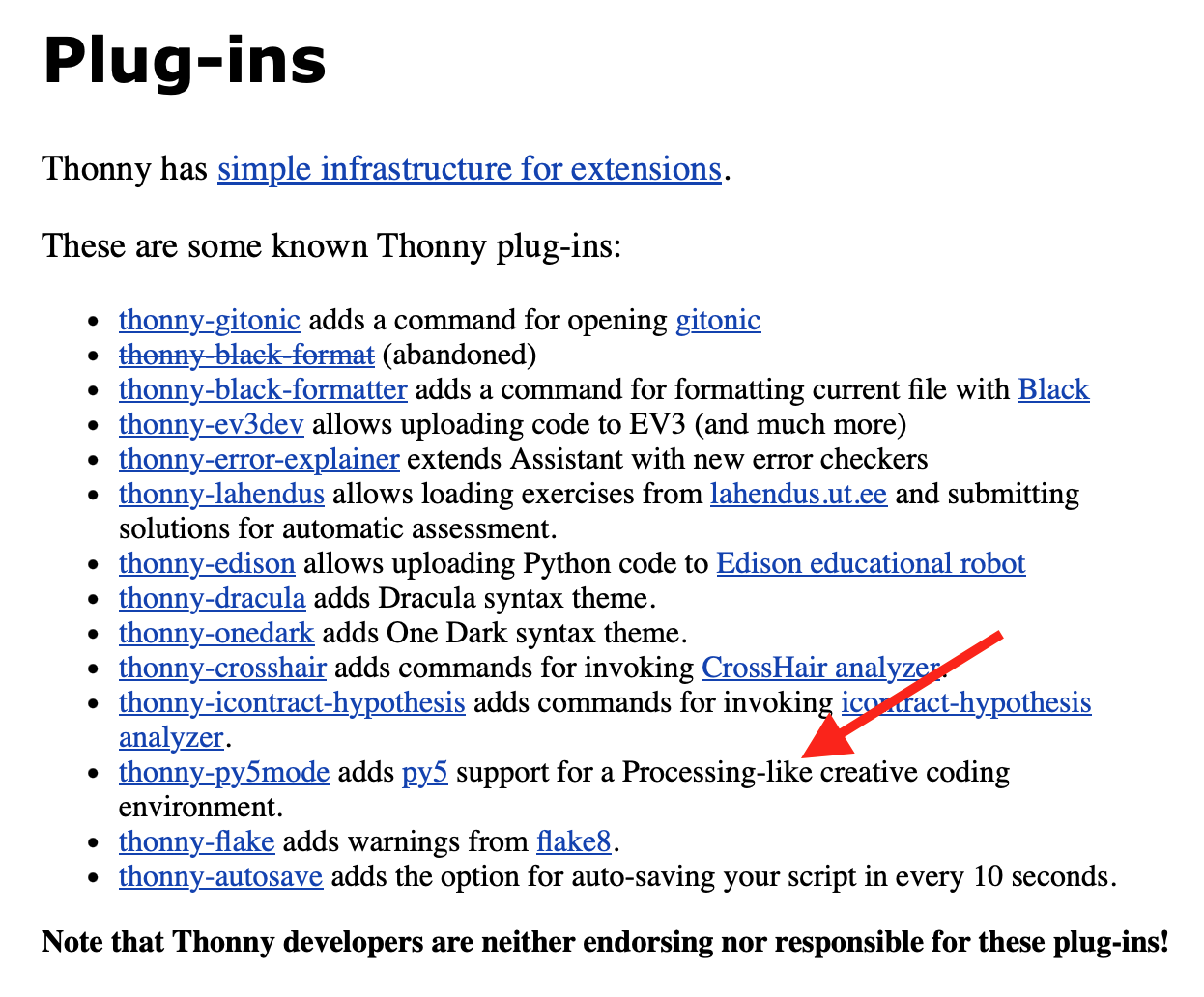
**Thonny Plugins:**
---
### Author:  [@glv](https://discourse.processing.org/u/glv)
#### Post date: [July 27, 2025, 1:09pm UTC](https://discourse.processing.org/t/javafx-transparentwindow-drawing-discussion/46621/7 "2025-07-27T13:09:11Z")
> [@glv](#):
>
> How can I use **Thonny** for **Java and JavaFX**? Something I am missing?
> [@glv](#):
>
> My research suggests that it is not a good editor for **Java** code and doesn’t have native support for **Java** or **JavaFX** development.
> [@svan](#):
>
> > [@glv](#):
> >
> > How can I use **Thonny** for **Java and JavaFX**?
>
> Yes, you can do this using py5
This got side tracked and steering it back on course…
_ **Thonny** _ is a _ **Python IDE** _ and not for _ **Java** _ editing.
ChatGPT response:
> **Is Thonny good as a Java editor?**
>
> Is Thonny good as a Java editor?
>
> ###### ChatGPT said:
>
> No, **Thonny is not suitable as a Java editor**.
>
> ### 🔍 Why Not:
>
> - Thonny is **designed only for Python** — it’s great for beginners learning Python, but it has:
> - No support for Java syntax
> - No compiler or runtime integration for Java
> - No Java code completion, error checking, or debugging tools
>
> If you try to open or write Java code in Thonny, it will just treat it as plain text — you won’t get any of the tools you need to write, compile, or run Java code.
>
> * * *
>
> ### ✅ Recommended Java Editors (Based on Experience)
>
> #### 👶 **Beginner-friendly:**
>
> - **BlueJ** – Made for learning Java; visual, simple, and lightweight.
> - **DrJava** – Also focused on education; clean and easy to use.
>
> #### 💼 **More advanced / professional:**
>
> - **IntelliJ IDEA (Community Edition)** – Excellent Java support, smart editor, good for all levels.
> - **Eclipse** – Powerful and free; widely used for Java development.
> - **NetBeans** – Also strong for Java, especially for GUI-based apps.
>
> * * *
>
> ### 🔄 :
>
> > **Use Thonny for Python.** For Java, use a Java IDE like **IntelliJ** , **BlueJ** , or **Eclipse** depending on your needs.
>
> Would you like help picking one based on your project type or experience level?
`:)`