# Interactivity and capture
**URL:** https://discourse.processing.org/t/interactivity-and-capture/15613
**Category:** Libraries
**Created:** [November 18, 2019, 3:38pm UTC](https://discourse.processing.org/t/interactivity-and-capture/15613 "2019-11-18T15:38:41Z")
**Posts on this page:** 5
**Page:** 1
### Author:  [@Aelita](https://discourse.processing.org/u/Aelita)
#### Post date: [November 18, 2019, 3:38pm UTC](https://discourse.processing.org/t/interactivity-and-capture/15613/1 "2019-11-18T15:38:42Z")
Hi! I’m working on a project for university and I’m having some difficulties with Processing.
Concept: There are two pictures and the program makes a transition by transparency from one picture to another, by moving the mouse from left to right. The program is working but from now, I’d like to use something better than the mouse to make the transition between both pictures. I’d like to use a webcam to make people interact with my work.
Basically, if somebody is on the left, Picture A appears. And if he/she walks to the right Picture B appears.
The problem is that I’m a beginner, so I can modify some lines of the code but I’m really bad at writing the whole program. I’d appreciate if somebody could help me fixing my problem. Here is where I am:
```auto
PImage one,two;
void setup(){
// Size of the background. Has to be the same as both pictures.
size(1199,787,P3D);
one = loadImage("RT21.jpg");
two = loadImage("RT22.jpg");
}
void draw(){
// Background is the first image (here: RT21.jpg)
background(one);
// Second imges appears according to the position of the mouse.
tint(255,255,255,(255.0/width)*pmouseX);
image(two,0,0);
}
```
---
### Author:  [@noel](https://discourse.processing.org/u/noel)
#### Post date: [November 18, 2019, 5:00pm UTC](https://discourse.processing.org/t/interactivity-and-capture/15613/2 "2019-11-18T17:00:31Z")
Hi,
If it is a camara on an Android phone, you could try the Ketai Library wich has face detection.
Or on windows see [here](https://discourse.processing.org/t/face-recognition/6571/6), or watch this
[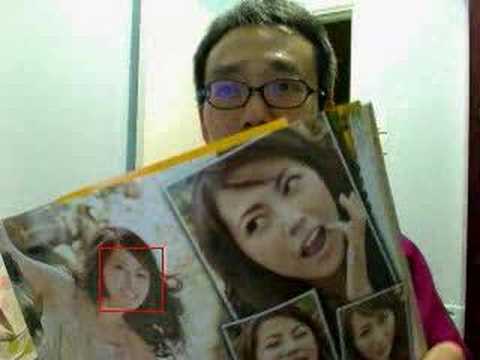 ](https://www.youtube.com/watch?v=SdvaanQ2yYk)
---
### Author:  [@noel](https://discourse.processing.org/u/noel)
#### Post date: [November 18, 2019, 5:25pm UTC](https://discourse.processing.org/t/interactivity-and-capture/15613/3 "2019-11-18T17:25:24Z")
Thinking better, maybe you want only the movement from someone further away.
That is more difficult. But assist [this](https://youtu.be/QLHMtE5XsMs) video.
It can help you. I did a hand move experiment, you can see [here](https://youtu.be/SseW0wd9V9w).
---
### Author:  [@Aelita](https://discourse.processing.org/u/Aelita)
#### Post date: [November 18, 2019, 5:35pm UTC](https://discourse.processing.org/t/interactivity-and-capture/15613/4 "2019-11-18T17:35:55Z")
I think facial detection is a nice idea so I’ll focus on that. I’m reading the link you joined to your first comment at the moment.
Thank you!
---
### Author:  [@jeremydouglass](https://discourse.processing.org/u/jeremydouglass)
#### Post date: [November 22, 2019, 10:36pm UTC](https://discourse.processing.org/t/interactivity-and-capture/15613/5 "2019-11-22T22:36:47Z")
Other options include background subtraction, motion detection, and blob detection – e.g. with the opencv or boofcv libraries. Then anything (any moving thing) in the camera field will return a location box, regardless of whether or not its face is identifiable.