# Drawing on a Spheres texture, Making it go over the edge
**URL:** https://discourse.processing.org/t/drawing-on-a-spheres-texture-making-it-go-over-the-edge/28017
**Category:** p5.js
**Created:** [February 23, 2021, 9:58am UTC](https://discourse.processing.org/t/drawing-on-a-spheres-texture-making-it-go-over-the-edge/28017 "2021-02-23T09:58:24Z")
**Posts on this page:** 2
**Page:** 1
### Author:  [@Gollink](https://discourse.processing.org/u/Gollink)
#### Post date: [February 23, 2021, 9:58am UTC](https://discourse.processing.org/t/drawing-on-a-spheres-texture-making-it-go-over-the-edge/28017/1 "2021-02-23T09:58:24Z")
Im trying to make randomised marbles based on particles that draw lines on a texture. But Im trying to make a particle go over the edge of the texture so to speak. But I just can’t wrap my head around the math that I need to be able to do it.
I already studied the following image but its just above my head
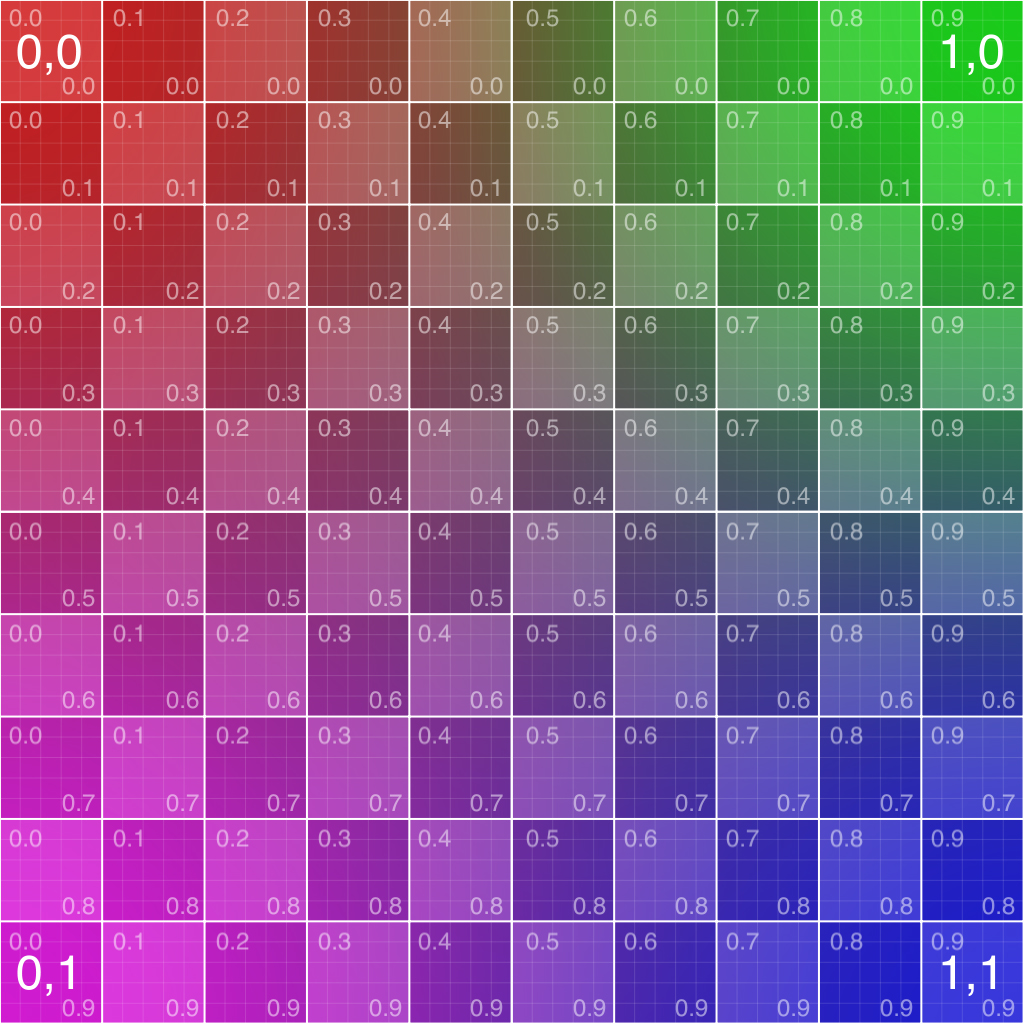
My thoughts on this is that for if(this.pos.x \> textureWidth) for example you would chance the this,pos.x to 0 again but you also need to flip this.pos.y and change the directions or something. Is someone able to explain this proces and the math behind it to me?
```auto
let img;
var particles_a = [];
var particles_b = [];
var particles_c = [];
var nums =500;
var noiseScale = 800;
let color1 = [];
color1[0] = 255;
color1[1] = 120; //(random(255));
color1[2] = 120;
let color2 = [];
color2[0] = 255;
color2[1] = color1[1]-50; //(random(255));
color2[2] = color1[2]+20;
let textureWidth = 1000;
function setup() {
createCanvas(textureWidth, textureWidth, WEBGL);
pg = createGraphics(textureWidth, textureWidth);
pg.background(255);
for(var i = 0; i < nums; i++){
particles_a[i] = new Particle(random(0, width),random(0,height));
particles_b[i] = new Particle(random(0, width),random(0,height));
particles_c[i] = new Particle(random(0, width),random(0,height));
}
//noLoop();
}
function draw() {
background(0);
orbitControl();
for(var i = 0; i < nums; i++){
var radius = map(i,0,nums,1,2);
var alpha = map(i,0,nums,0,250);
pg.stroke(color1[0],color1[1],color1[2]);
particles_a[i].move();
particles_a[i].display(radius);
particles_a[i].checkEdge();
pg.stroke(color2[0],color2[1],color2[2]);
particles_b[i].move();
particles_b[i].display(radius);
particles_b[i].checkEdge();
//pg.stroke(0,255,255);
particles_c[i].move();
particles_c[i].display(radius);
particles_c[i].checkEdge();
}
texture(pg);
noStroke();
rotateX(degrees(180));
rotateY(degrees(180));
sphere(300);
}
function Particle(x, y){
this.dir = createVector(0, 0);
this.vel = createVector(0, 0);
this.pos = createVector(x, y);
this.speed = 0.4;
this.move = function(){
var angle = noise(this.pos.x/noiseScale, this.pos.y/noiseScale)*TWO_PI*noiseScale;
this.dir.x = cos(angle);
this.dir.y = sin(angle);
this.vel = this.dir.copy();
this.vel.mult(this.speed);
this.pos.add(this.vel);
}
this.checkEdge = function(){
if(this.pos.x > textureWidth){
this.pos.x = 0
}
if(this.pos.x < 0){
this.pos.x = textureWidth;
}
if(this.pos.y > textureWidth){
this.pos.y = 0;
}
if(this.pos.y < 0){
this.pos.y = textureWidth;
}
}
this.display = function(r){
pg.ellipse(this.pos.x, this.pos.y, r, r);
}
}
```
---
### Author:  [@Chrisir](https://discourse.processing.org/u/Chrisir)
#### Post date: [February 23, 2021, 2:24pm UTC](https://discourse.processing.org/t/drawing-on-a-spheres-texture-making-it-go-over-the-edge/28017/2 "2021-02-23T14:24:34Z")
Can you try to repost the image please?